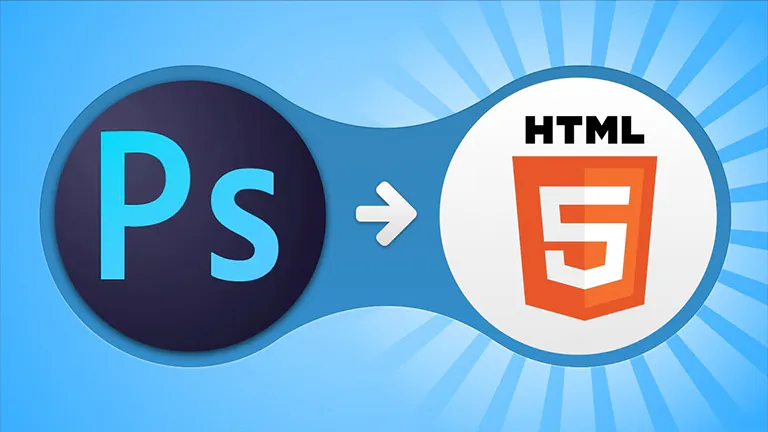
Creating a visually appealing and functional website is essential for any business. Many designers use Adobe Photoshop to create their web layouts in PSD format. However, to make these designs live on the web, they must be converted into HTML and CSS. This process is known as PSD to HTML conversion.
Although it might seem technical, this process becomes much easier by following the right methods. Below is a complete and practical guide filled with useful tips that will simplify your PSD to HTML workflow.
Start with a Well-Organized PSD Design
Ensure your PSD file is clean and structured. A well-layered design with proper naming conventions helps streamline the coding process.
Tips:
- Use guides and grids for alignment
- Name layers clearly (e.g., Header, Button, Footer)
- Group related layers logically
Set Up an Efficient File and Folder Structure
Organize your files and folders before starting the coding process. It keeps the project manageable and scalable.
Example Structure:
/project-folder
  /css
  /js
  /images
  index.html
Use the Right Tools and Software
Having the correct tools can make your work more efficient.
Design Tools:
- Adobe Photoshop
- Figma or Adobe XD
Code Editors:
- Visual Studio Code
- Sublime Text
Plugins & Helpers:
- Emmet for fast coding
- Live Server for live preview
- Avocode or Zeplin for inspecting designs
Apply Semantic HTML Markup
Semantic HTML improves readability, SEO, and accessibility. Use appropriate HTML5 tags to describe the structure of your webpage.
Common Tags:
<header><nav><main><section><footer>
Plan for Responsive Design Early
Responsive websites work across all devices. Design with flexibility in mind.
Techniques:
- Use CSS Grid or Flexbox
- Apply media queries
- Follow a mobile-first approach
Tools:
- Bootstrap framework
- Tailwind CSS for utility classes
Avoid Auto-Generated Code
Auto-generated code often includes unnecessary elements. Instead, write your HTML/CSS by hand to ensure a clean and efficient output.
Benefits of Hand Coding:
- Clean and readable structure
- Reduced bugs
- Easier maintenance
Export and Optimize Visual Assets
Only export images that are needed and avoid using images for effects that can be handled with CSS.
Best Practices:
- Save icons as SVG or compressed PNG
- Use @2x images for retina screens
- Compress images using TinyPNG or ImageOptim
Integrate CSS Preprocessors (Optional)
Preprocessors like SASS or LESS help you write efficient and manageable CSS.
Features:
- Variables for reusable values
- Nesting for better structure
- Mixins for reusable code blocks
Validate Your Code for Errors
Use online validation tools to catch errors before launch.
Recommended Tools:
Test Across Multiple Browsers and Devices
Your site should perform well on different browsers and devices.
Testing Tools:
- BrowserStack
- Responsively App
Test on Chrome, Firefox, Safari, Edge, and Internet Explorer if necessary.
Use Version Control for Your Code
Using Git helps you manage code changes effectively, especially when working in a team.
Platforms:
- GitHub
- GitLab
- Bitbucket
Advantages:
- Track changes
- Collaborate with others
- Roll back to previous versions
Improve Website Accessibility
Making your website accessible helps you reach a broader audience.
Accessibility Tips:
- Use alt attributes for all images
- Maintain high color contrast
- Enable keyboard navigation
- Implement ARIA roles
Optimize Website Speed and Performance
A faster website improves user experience and SEO.
Tips:
- Minify HTML, CSS, and JS
- Enable Gzip compression
- Use browser caching
- Apply lazy loading for images
Check Performance:
- Google PageSpeed Insights
- GTmetrix
Follow a Structured Conversion Workflow
Having a step-by-step approach reduces confusion and helps ensure completeness.
Workflow Checklist:
- Prepare layered and organized PSD
- Slice and export only essential assets
- Create HTML structure with semantic tags
- Apply CSS styles
- Use media queries for responsiveness
- Validate code and check performance
- Test across browsers
- Launch
Be Aware of Common Mistakes
Avoid these issues during conversion:
- Ignoring responsive design
- Overusing absolute positioning
- Using too many fonts
- Not compressing images
- Forgetting accessibility
Keep Learning and Updating Your Skills
Web development is always evolving. Stay informed by exploring new trends, frameworks, and best practices.
Helpful Resources:
- CSS-Tricks
- MDN Web Docs
- Stack Overflow
- freeCodeCamp
Final Thoughts
PSD to HTML conversion can be an easy and smooth process if you follow best practices. From clean PSD organization to performance optimization, each step plays a role in delivering a fully functional website. Whether you’re doing it yourself or working with a team, these tips will help you create efficient, responsive, and accessible websites.