Your website design plays a big role in how customers feel about your online store. Around 75% of people judge a company based on how its website looks. When a visitor comes to your ecommerce website, you have only a few seconds to make a good impression. That first impression can turn someone into a customer or make them leave.
In ecommerce, your website is not just a shop window. It is the shop itself. Unlike marketplaces like Amazon or eBay, this is your own space. You decide how your brand looks, feels, and works. That means your design must be clear, attractive, and customer-friendly.
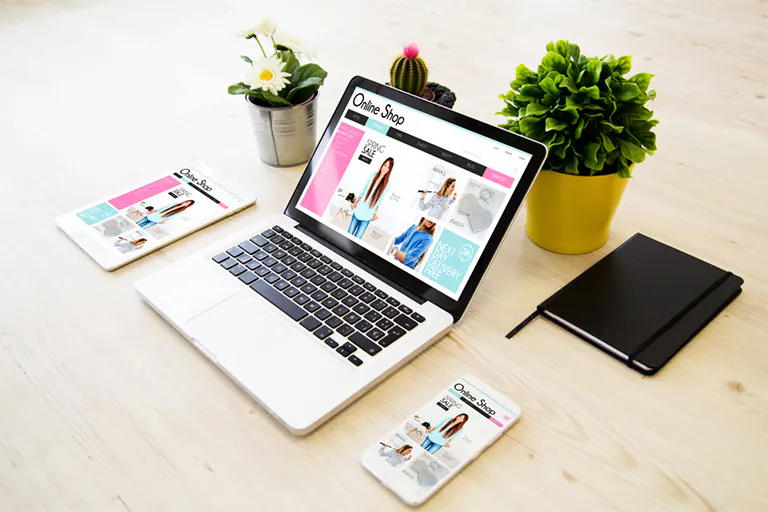
Let’s look at the important things to consider when choosing or creating a design for your ecommerce website.
Know Your Target Audience
Before you choose a design, think about who will visit your store. Every customer group has different needs and expectations. A young audience shopping for fashion will expect trendy visuals, while someone buying professional tools may want more technical information.
Ask questions like:
- Who is my customer? (age, gender, job)
- What device are they using? (mobile, desktop)
- What style appeals to them? (modern, simple, luxury)
By understanding your audience, you can choose design elements, colors, and layouts that make them feel comfortable.
Keep the User Experience Simple
A good ecommerce design focuses on how customers feel when they browse your website. The layout should be simple. Use a clear menu and easy-to-read fonts. Visitors should be able to search, filter, and find products without confusion.
Simple designs load faster, look cleaner, and help people shop without stress. Include a smart search bar, clean product filters, and a well-organized menu. Make sure your “Add to Cart” and “Buy Now” buttons are easy to spot.
Build a Strong Visual Hierarchy
Visual hierarchy means arranging design elements so that the most important things get noticed first. Use different font sizes, bold colors, and white space to guide your visitors.
For example:
- Use large fonts for headings
- Highlight discounts or sales with bright colors
- Keep product images at the center with clear labels
This makes the page easier to scan and improves customer focus.
Match the Design with Your Brand Identity
Your ecommerce website must reflect your brand. Everything from color schemes to font style to product images should follow your brand message.
For example:
- An organic product store may use green tones, natural textures, and soft fonts
- A tech product website may use sharp lines, dark colors, and modern icons
Your brand should feel the same on all pages. Don’t change colors or layout randomly. Keep your logo placement, menu style, and product photo design consistent.
Make It Mobile-Friendly
Many people shop using smartphones and tablets. If your website doesn’t look good or work well on a small screen, you may lose many customers.
Make sure:
- The site fits all screen sizes
- Menus are clickable with fingers
- Text is readable without zooming
- Product images load properly
A mobile-responsive design gives a smooth shopping experience on every device.
Focus on Performance and Speed
Even the best design will fail if the website loads slowly. Every second delay can lead to lost customers.
Tips:
- Compress all images
- Use web-safe fonts
- Minimize code (CSS and JavaScript)
- Enable lazy loading for images
Test your site speed using tools like Google PageSpeed Insights or GTmetrix.
Add Customer Reviews and Testimonials
Most buyers trust other customers more than advertisements. If your site has customer reviews and real photos, it increases trust.
Show positive reviews near product images. Include customer ratings and testimonials. Even negative reviews help build credibility if they are addressed professionally.
Use Color Psychology
Colors affect emotions. Choosing the right color scheme can influence your customers to act.
Examples:
- Blue shows trust (good for financial or health products)
- Green represents calm and nature (good for eco or organic brands)
- Red creates urgency (use for sales or promotions)
Use colors wisely in CTAs (Call to Action), banners, and price labels.
Simplify the Checkout Process
A confusing checkout causes people to abandon their carts. Make it as short and simple as possible.
Suggestions:
- Use one-page checkouts
- Allow guest checkouts (without forcing account creation)
- Offer multiple payment options (Visa, PayPal, Apple Pay, etc.)
- Use progress indicators (Step 1, Step 2, etc.)
Make sure buttons like “Buy Now” or “Place Order” are clear and clickable.
Include Storytelling in Design
Design is not just technical — it should tell a story. Use your homepage to introduce your brand’s purpose. Product pages should explain how items solve real problems.
Use real-life scenarios:
- Show lifestyle photos (not just product images)
- Use customer journeys and testimonials
- Write product descriptions that highlight benefits, not just features
Good storytelling helps customers connect emotionally with your brand.
Stay Updated with New Design Trends
Website design trends change with technology. Keeping your site up to date shows that your brand is modern and active.
Some current trends:
- Scroll-triggered animations
- Personal product recommendations
- Voice search integration
- Video product demos
- Minimalist layouts
Explore what other successful brands are doing — and adapt ideas that match your store.
Make It Accessible for All Users
Design your website so that people with disabilities can also use it. Many businesses forget this, but it is very important.
Steps to follow:
- Use image alt text for screen readers
- Allow keyboard navigation
- Maintain contrast between text and background
- Add subtitles for videos
Accessible websites improve user experience and show that your brand cares about everyone.
SEO-Friendly Design Structure
If search engines can’t understand your website, you’ll lose traffic. Design with SEO in mind.
Tips:
- Use proper headings (H1, H2, H3)
- Add image alt text
- Use readable URLs
- Keep mobile speed fast
- Interlink related pages
This helps your products show up on Google and attracts organic traffic.
Support Multiple Languages and Currencies
If you sell products worldwide, your website should support multiple languages and payment options.
Features to include:
- Language switcher button
- Currency selector
- Local payment gateways
- Country-specific shipping rules
This improves your user experience for international visitors.
Prepare for Future Growth
Choose a design that can grow with your business. Your platform should allow for more products, categories, and features in the future.
Features that support scalability:
- Modular layout system
- Flexible navigation menus
- Dynamic product pages
- Ability to add new plugins
Scalable design avoids the need to redesign everything later.
Interactive and Personalized Features
Let your website interact with customers. Personal touches keep visitors engaged.
Add:
- Wishlist functionality
- Product suggestions based on user activity
- Recently viewed products
- Smart chatbots
These features make shopping feel more like a personal experience.
Final Thoughts
Your ecommerce website design is the heart of your business. It represents your values, builds trust, and influences how customers buy. A well-planned design combines beauty, function, speed, and strategy. Don’t choose your website design based only on how it looks. Choose it based on what your customers need and what helps your business grow.
When you build with the right mindset — focusing on simplicity, emotion, performance, and usability — your online store becomes a place where people want to shop again and again.